In about 5-6 months, the Star Atlas team (ATMTA) will launch their brand new (Layer 1) blockchain, named z.ink. On launch day, 100 million z.ink tokens will be minted, and 10%, or 10 million of these, will be airdropped to the community!
You will be able to get a slice of that airdrop in the near future if you are playing Star Atlas and/or are active in the ecosystem. The airdrop campaign has not yet kicked off, but the test campaign preceding it has!
On Thursday, October 30th, the Star Atlas team kicked off their A.LPHA test campaign that will put their z.ink Dashboard through the wringer. The dashboard is now fully live, and although there is no z.ink airdrop share available during this initial campaign, three perks are available, two of which have the potential to impact your future airdrop!
This guide will begin with a brief campaign overview, followed by a quick start, and then delve into all the various details you likely should know about.
Strap in!
The z.ink L1 chain
During the first half of 2026, the Star Atlas team (ATMTA) will launch its own L1 blockchain, called z.ink, which is powered by SVM (so Solana-compatible). You can read more about this in our guide on the chain itself. For this article, one aspect is important:
The team plans to airdrop 10% of the total supply of their protocol token (z.ink) during the genesis event of their mainnet (in other words: as soon as the network is live).
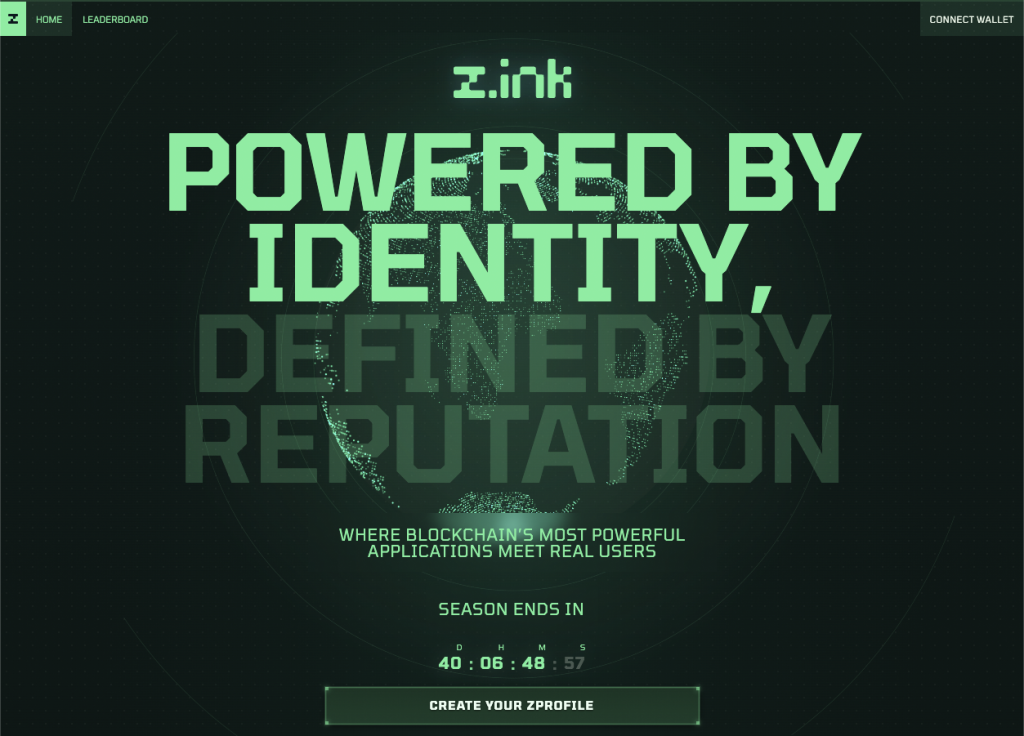
z.ink – Landing Page
Campaign Overview
For those who want the TLDR, look no further! Note that we will expand on the points below in further detail later in this guide, but here are the essentials:
The Star Atlas team has launched the A.LPHA campaign, a six-week test phase for the new z.ink dashboard. This campaign is followed by 1–2 weeks of downtime before the O.RIGIN campaign begins.
- A.LPHA Campaign (Test Phase)
- Duration: ~6 weeks
- Purpose: Test the z.ink dashboard and features
- Rewards:
- Founder’s Badge (SFT) — collectible item
- Boosted start in O.RIGIN (up to +25% zXP multiplier from daily streak)
- Head start at the level reached during A.LPHA (up to level 20)
- O.RIGIN Campaign (Main Phase)
- Duration: ~3 months
- Reward: Allocation from the 10% z.ink token airdrop (10 million tokens total)
- Distribution: Based on zXP (z.ink Experience Points) earned, your zXP share determines your portion of the airdrop.
Earning zXP in A.LPHA
zXP is earned through in-game and ecosystem activity, including:
- Holosim — low weighting, frequent updates
- SAGE — medium/high weighting
- UE5 (Gunplay & Racing) — medium weighting
- Primary Marketplace Sales — high weighting
- ATLAS Locked / POLIS PVP — high weighting, daily measurement
Historic performance does not count; only activity after wallet linking is tracked.
Bonuses and Multipliers
- Daily Streak Bonus: Claim daily to build a streak; up to +25% zXP multiplier that carries over from A.LPHA to O.RIGIN.
- Subscriptions (Alpha, Aura, Apex): Optional paid plans that grant additional zXP multipliers and future perks.
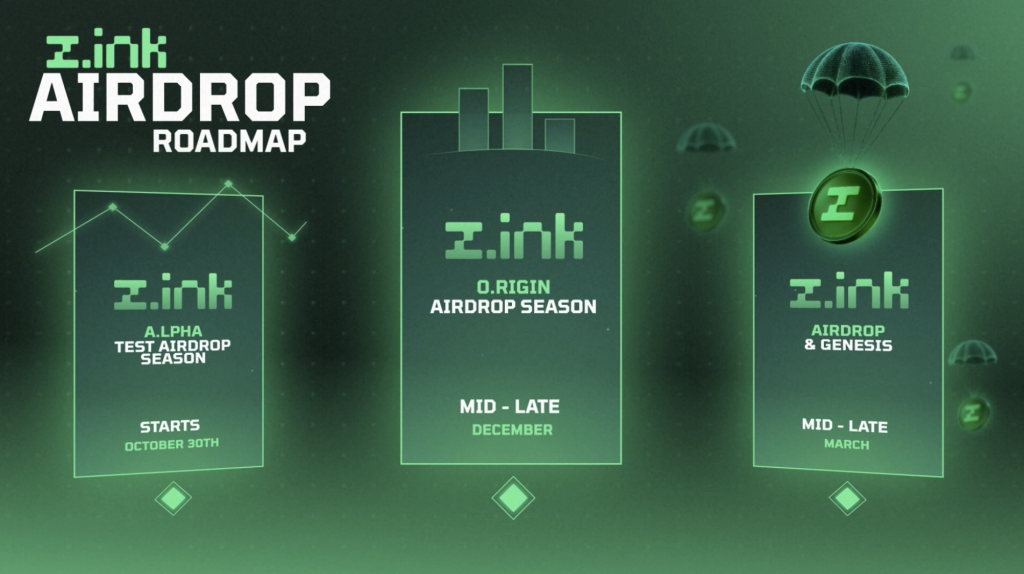
z.ink – Airdrop Roadmap
Quick Start
Before we go into all that it entails, let’s first get you registered and set up with a zProfile!
To enroll in the A.LPHA campaign, and get set up for the upcoming O.RIGIN campaign while at it, follow the steps below.
Steps – Registering:
- Go to https://z.ink and click the Create your zProfile button.
- Read the Terms of Service and Disclaimer, and then connect your wallet.
- You are next asked to sign a message to prove you are the owner of the wallet.
- Enter a redemption code. If you do not have one, ask any of your Star Atlas friends/guild members, or check on the Star Atlas or z.ink Discord. It should not be hard to get one.
- You’ll enter the “Create Profile” dialog, where you’ll have to choose your profile name (publicly visible!). Next, click the button at the bottom to sign another on-chain transaction to store this.
- Your session will be created, and the z.ink Dashboard will greet you!
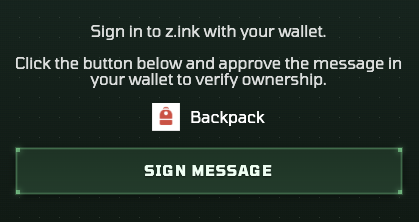
z.ink – Example of a message signing request (step 3).
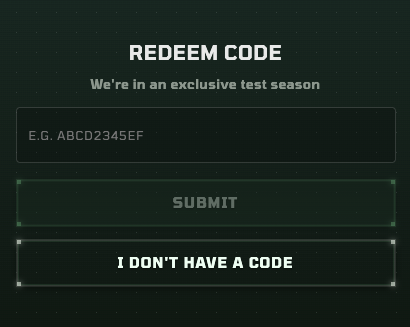
z.ink – Redeem a code to register (step 4)
Note: If you are using a wallet outside Phantom, Solflare, or Backpack, you may not find your wallet in the wallet selection pop-up. The z.ink ecosystem only supports wallets that adhere to Solana’s Wallet Standard. If your wallet does not, then it is advisable to migrate to a more modern wallet that adheres to the standards.
Adding Additional Wallets
The campaign now knows you exist! Next, it is essential to add all other wallets you use to participate in the Star Atlas ecosystem. Continue reading to learn which wallets you may need to hook up. Below, we’ll explain how to get those added first.
Adding another wallet is a bit involved because when you switch wallets in your browser extension, the website won’t update to reflect the change, and you will likely see the wallet you connected last. There is a workaround to fix this, which requires you to refresh the webpage.
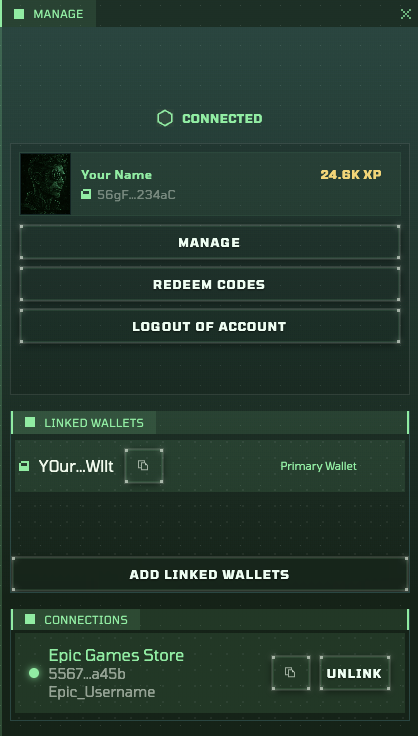
z.ink Dashboard – Profile pop-up
Steps – Adding another wallet
- Go to your wallet (extension) and select the wallet you want to connect
- Refresh the website (yes, this is really needed at the moment, see the above section)
- If all goes well, you will still see that your profile (attached to another wallet) will be loaded correctly
- Click on your account name in the top right corner of the dashboard
- Click the Add Linked Wallets button in the pop-up that appears
- Read the disclaimer (at least the first time), and hit Continue
- You will see a list of the connected wallets. Click the wallet you want to add and hit Confirm
- Next up, sign the message to confirm ownership
If all goes well, your wallet will have been added to the list.
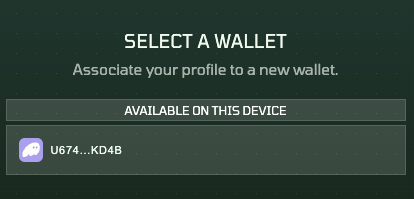
z.ink Dashboard – Selecting another wallet (step 7)
If you only see the same wallet you already connected with, then you very likely did not execute step 2. It is necessary for you to refresh the webpage after selecting another wallet in your wallet interface (Phantom, Solflare, etc.).
Two Campaigns
The campaign that was now launched is the A.LPHA campaign. This campaign is primarily meant to test everything before the team increases the stakes (z.ink airdrop allocation) and opens it up to everybody.
This A.LPHA campaign is followed by 1-2 weeks of downtime, during which the team conducts a final check on their weighting of activities before launching the real airdrop campaign, dubbed O.RIGIN.
- A.LPHA — Lasts 6 weeks in total, followed by 1-2 weeks of downtime.
- O.RIGIN — Follows the downtime period, and lasts approximately 3 months. Your zXP (zink XP) will directly contribute to your slice of the z.ink airdrop pie!
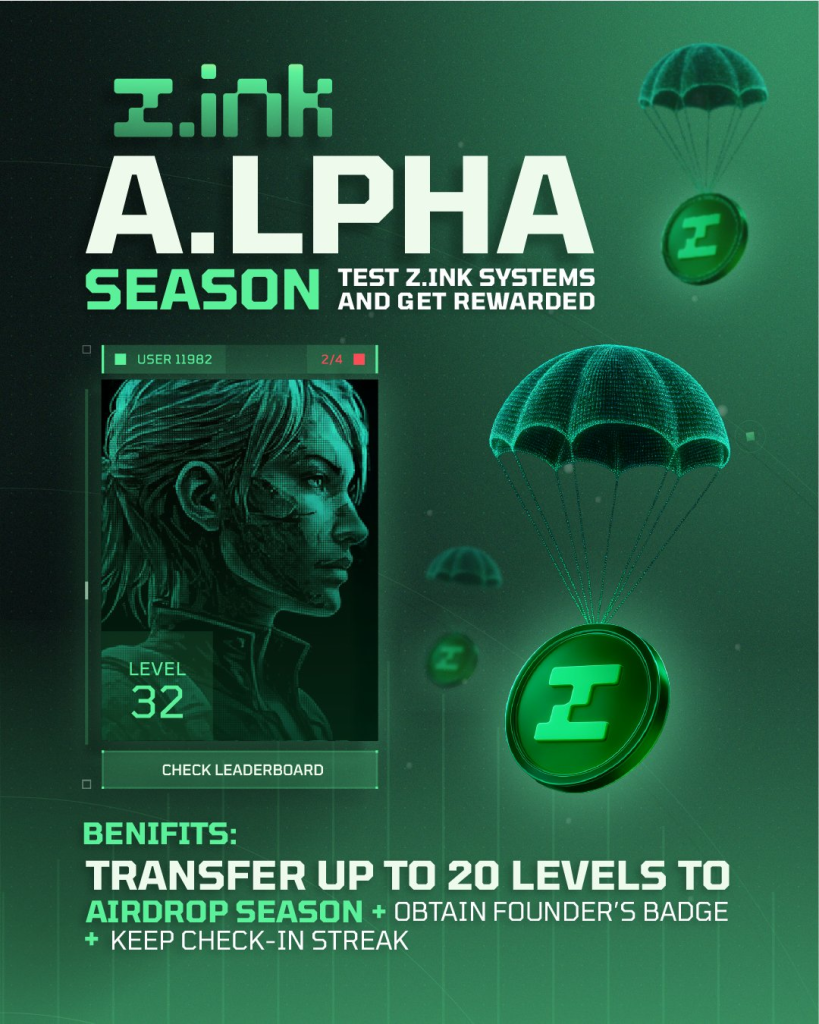
z.ink – A.LPHA Season
A.LPHA Campaign – Rewards
The core purpose of this campaign is to test everything. However, the team, of course, needs to provide incentives to encourage your participation. These rewards are as follows:
- Founder’s Badge (SFT) — A collectible, cosmetic badge that you will be able to apply to your zProfile (down the line).
- A boosted start in the O.RIGIN campaign — You will maintain your daily streak bonus (see below) going into the O.RIGIN campaign. This effectively means that you can start that campaign with up to a 25% boost in zXP earned.
- A head start in the O.RIGIN campaign —You’ll begin the O.RIGIN campaign at the level you reached in A.LPHA, up to a maximum of level 20. If you hit (or surpass) level 20 in A.LPHA, you’ll start O.RIGIN at level 20. Otherwise, you’ll start at your actual achieved level.
That’s the simple version, but there’s a catch. The team may rebalance the leveling curve, meaning the zXP required for each level could change.- If reaching level 20 becomes easier, nothing changes — your level carries over (max 20).
- If it becomes harder, your starting zXP from A.LPHA will stay the same, but that zXP may place you at a lower level in O.RIGIN.
O.RIGIN Campaign – Rewards
The Origin campaign should kick off around the end of this year or the start of the new year. When it does, the sole reward you will get is a slice of the 10% z.ink airdrop pie! The more zXP you accumulate, the bigger your slice.
Note that the amount of z.ink tokens earmarked for this first airdrop is fixed. This means that your proportional share of zXP earned vs the total amount of zXP earned will determine how much of the airdrop you will receive.
Earning zXP
During the A.LPHA campaign, only the core features through which you can earn zXP are live. With O.RIGIN, additional avenues will open up, mostly related to the social campaign that will be launched alongside it. At present, the following activities will reward you with zXP, alongside the zXP weighting of those activities and the frequency with which.
| Activity | zXP weighting | zXP allocation frequency |
|---|---|---|
| Holosim | Low | In minutes |
| SAGE | Medium/High | In minutes |
| UE5 | Medium | Every 2-4 hours |
| Primary Marketplace sales | High | In minutes |
| ATLAS Locked & PVP | High | Once every 24 hours |
Note that there is no zXP assigned to any historic accomplishments. Previously gained XP in UE5 does not count, nor does previous gameplay in SAGE or Holosim.
Linking Wallets: To accurately measure Holosim, you need to add the wallet you linked in the Holosim Settings. For every other activity, you need to add the wallet that you use for that activity. For UE5, you only need to connect your Epic Game profile.
Lockers
The ATLAS Locker rewards are being determined once a day, around midnight (0:00) UTC. The amount locked is what gives you your zXP. The count starts from the first midnight encountered after you linked your locker wallet to your zProfile.
The POLIS Locker works similarly, but here, your total PVP determines the amount of zXP you earn. In other words, it pays off to go for the maximum lock. Additionally, it may be beneficial to regularly relock your POLIS for the maximum amount, as your PVP slowly decays over time without doing so.
You will earn this zXP every day, and every day your locked ATLAS and total PVP is measured and converted into a new allotment of zXP. Again, historic data coming from before you linked your wallet is not taken into account.
Marketplace Sales
It is important to realize that only so-called primary market sales are being awarded. This translates to all orders offered by the team, not by any other players. For those new, you can easily tell if this is the case, because on the Galactic Marketplace, all such orders are cyan instead of white, and instead of showing a label, they state “Star Atlas”.
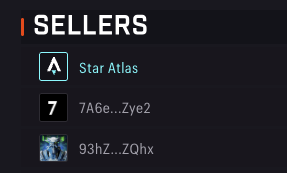
Galactic Marketplace – A sales offer by the team is at the top
UE5
You will only earn zXP for activities that earn XP and Ink in the game. This means that only the official Gunplay & Racing matches count, not the Galia Game mode, or games not hosted by yourself or others.
Fleet Rental
If you are renting your fleets out to others, those other players will earn the zXP with them, not you.
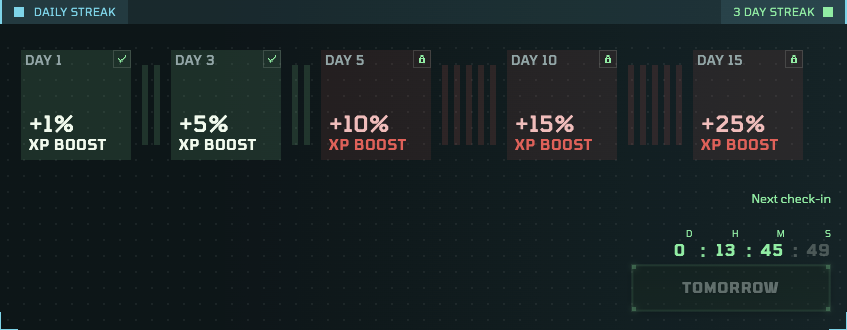
z.ink Dashboard – Daily Streak
Daily Check-in Bonus
Beyond subscriptions, there is another (free-of-charge) way to unlock XP multipliers. By simply hitting the Claim button in the Daily Streak area within 24-48 hours after your last Claim, you can lock in another day and build out your daily streak.
The first time you do this, you will right away unlock the 1% boost. After 3 times, you will unlock the Day 3 boost.
Important: At the conclusion of the a.lpha campaign, your daily streak will not be reset. This means, if you play your cards right, you could start the upcoming O.rigin campaign with a 1.25x multiplier (25%) right away!
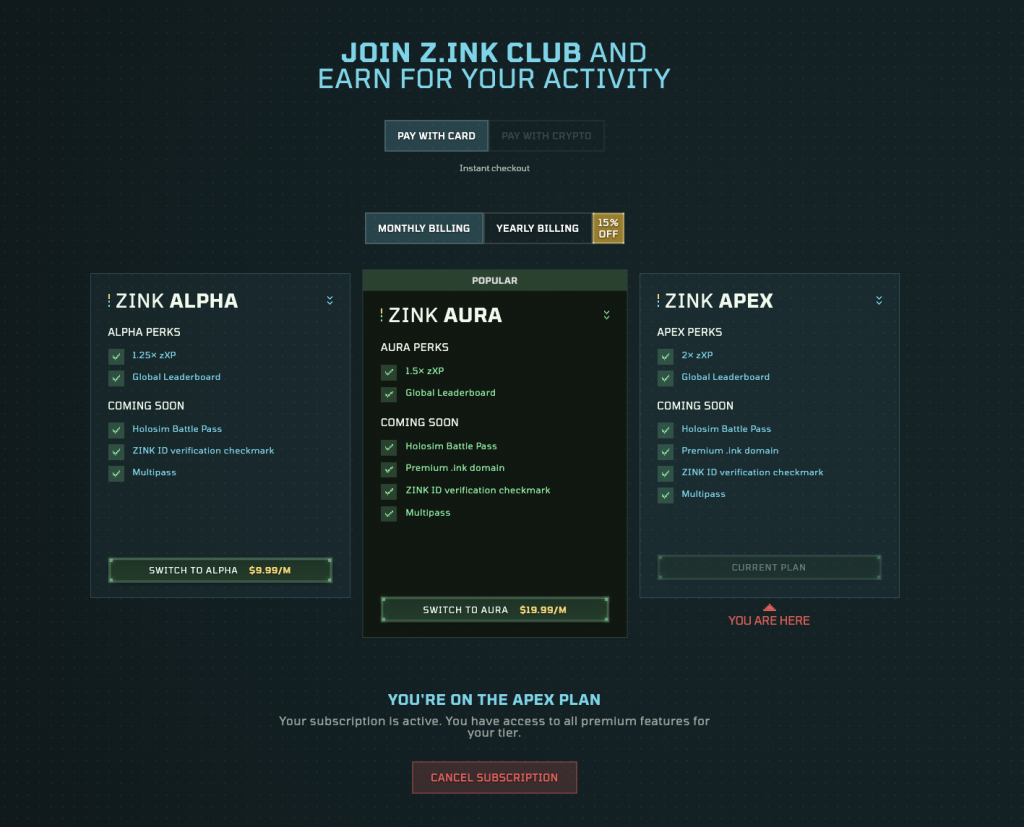
z.ink – Club Subscriptions
Subscriptions
One way to speed up your zXP progression is to subscribe to one of the three subscriptions the team is offering: Alpha, Aura, and Apex.
To check these out, click on Upgrade in the center of the bar at the top of the page (next to Dashboard). You will see an overview of the different packages, along with their price. You can switch between monthly and yearly billing, with the latter providing a 15% discount. You can pay with crypto directly or use a Credit Card.
Note that of all the perks (scroll down to see a proper overview), only the zXP multiplier is live right now. The other features will be made available at a later time.
Subscribing is completely optional, and it will really be up to you to decide if it makes sense to do so, and, if so, which subscription may be best. Looking only at zXP earnings, remember that you can only bring your first 20 levels to the start of the O.RIGIN campaign.
Future Perks
Though not applicable just yet, let’s quickly go over the future perks mentioned:
- Holosim Battle Pass — Instead of buying a Battle Pass for a Holosim Chapter, this will be integrated into the z.ink Subscription. This means that the perks of the Holosim Battle Pass will be available to you.
- Multipass — A parallel reward track that will give you Star Atlas game-related rewards. Though the same zXP earned is used to progress this track, it will reset on occasion, unlike your zProfile, which will only go up (at least, after the Alpha test has concluded)
- Premium .ink “domain” — A bit of a misnomer, this means you will be able to register a custom name alias for one of your z.ink wallets. Instead of having to mess with the long public key, everyone will be able to send tokens to
yourname.ink, for example.
Redemption Codes
You need a Redemption Code to create your zProfile, and you can usually get that from the z.ink, or Star Atlas Discord servers, or from someone in your Star Atlas guild/DAC. But, you can also spread the love by sharing your Redemption Codes with friends!
You can find these in your profile (by clicking on your name) as follows:
- Click on your profile in the top-right corner
- Click on Redeem Codes in the pop-up that opens
- You may need to scroll a bit, but here are your five codes
You can copy any of them (remember which ones you gave away), and share it.
For every person who signs up by using up one Redeem Code, five new Redeem Codes are generated and added to their account to give away. In other words, there will never be a shortage of these codes. The number of codes available is growing five times faster than the number of people in need.
Note: Whether you use your Redemption Codes or not does not in any way influence your zXP. There is no benefit to getting people to sign up using your code. Their sole purpose is to allow you to bring in friends, nothing else.
Discord
At the moment, you need to be at level 3 on the z.ink Discord to get a green colored name and, more importantly, access to the support ticket system. If you need to submit a ticket because you believe something is not as it should be, then this means you will have to chat your way up to that level before you can do so. Alternatively, if you are on the Star Atlas Discord already, you can use their ticketing system.
Note: Inviting people to the z.ink Discord does not reward you in any way.
That is it! You reached the end of this guide. Is there anything missing that you were looking for? Poke Aephia or Funcracker on X or Discord, and we’ll get that corrected!